Six capabilities, one system. Below is exactly what each screen does, what it produces, and a real-world example — no hand-waving, no “AI magic.”
01 · SEARCH & AI VISIBILITY
Know where you rank — and where AI cites you
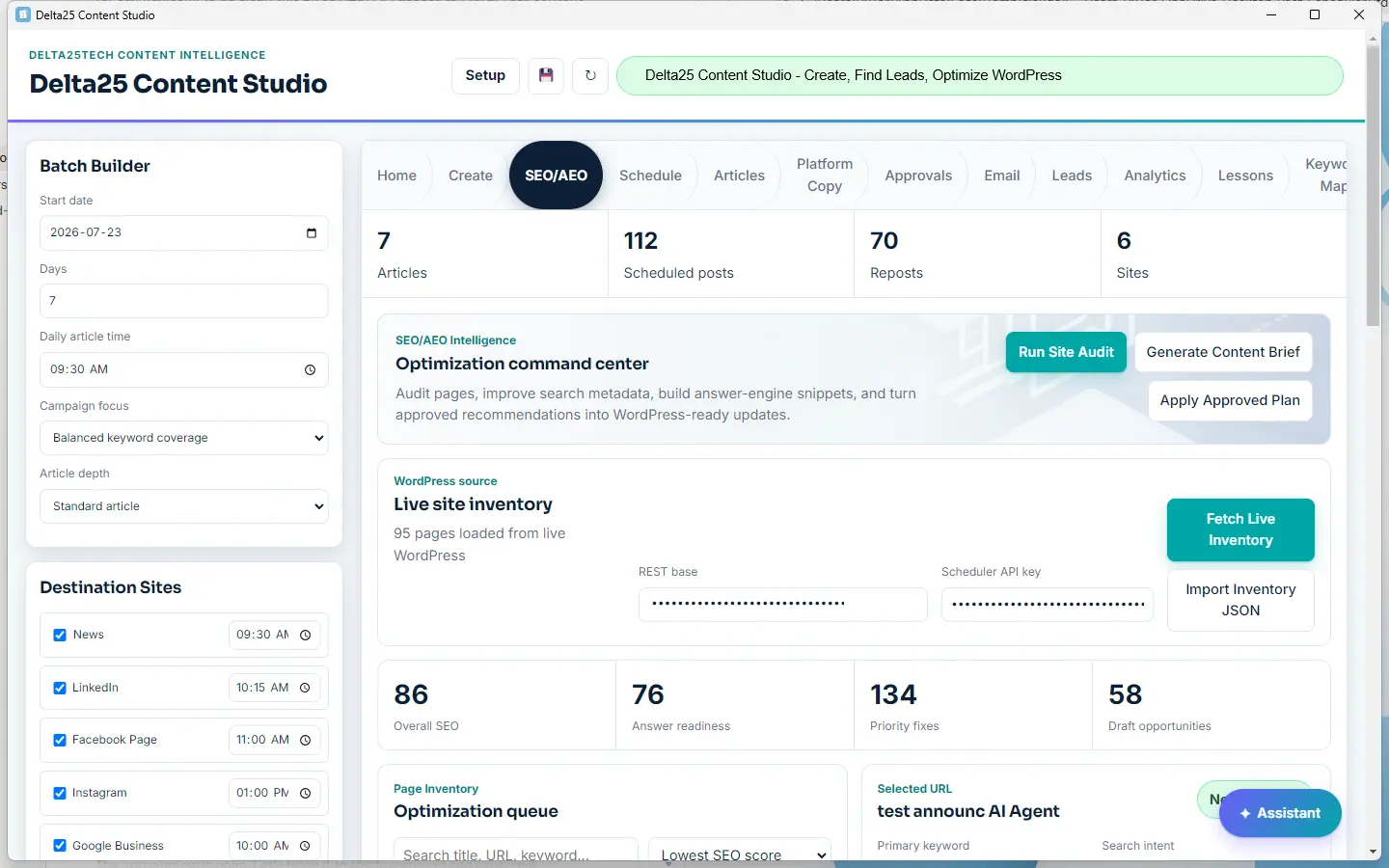
It loads your live WordPress inventory — 95 pages in this account — and scores the whole site: Overall SEO 86, Answer readiness 76, plus 134 priority fixes and 58 draft opportunities ranked by impact.
Example: An Ottawa landscaping site ranks page-2 for “spring yard cleanup.” Delta25 flags it, drafts an updated page targeting the exact query, and re-scores it before you publish.
02 · CONTENT CREATION
A draft is a form, not a black box
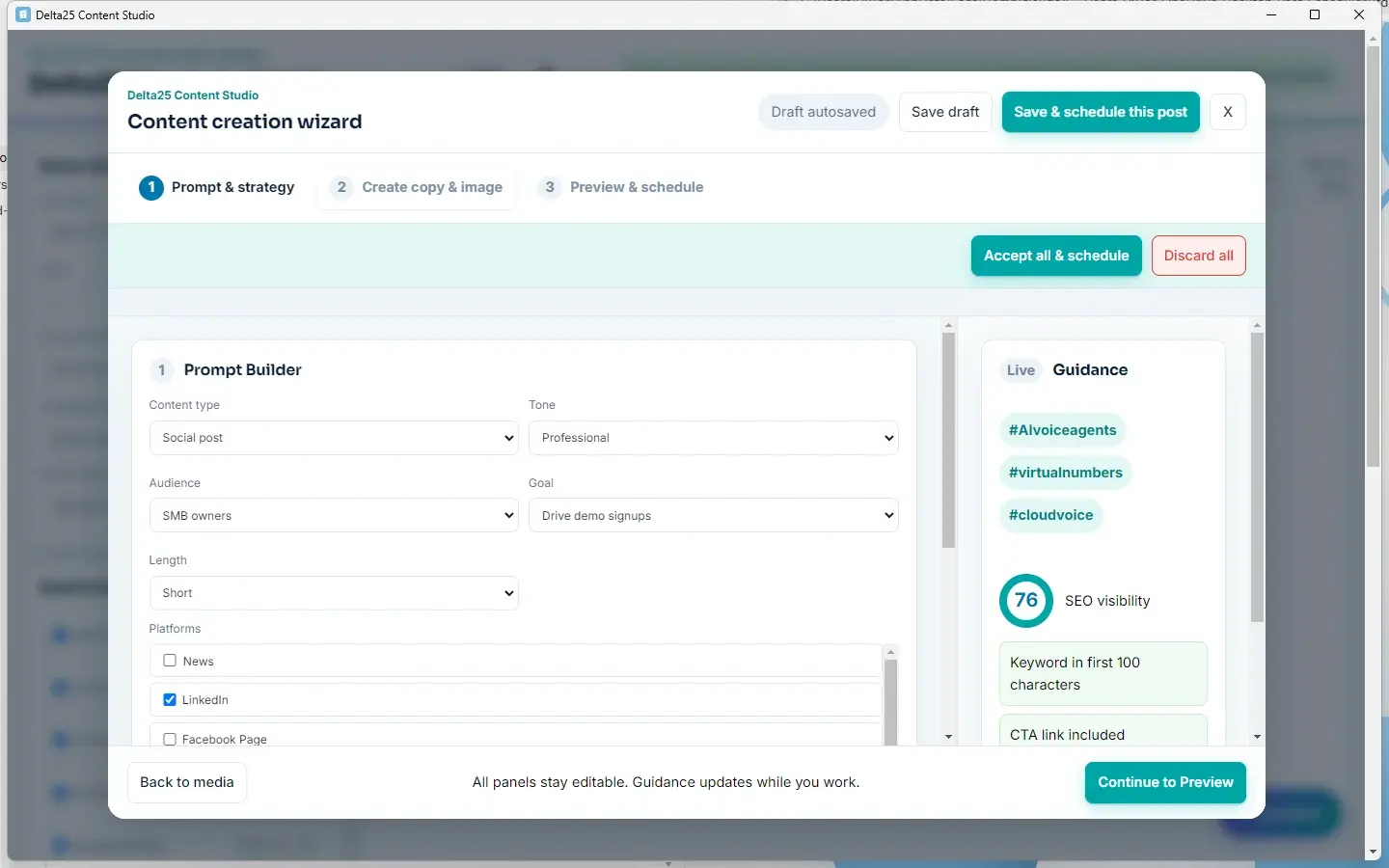
Set content type, tone, audience, goal, length, and channels — it drafts in your brand voice, typically in under a minute. Live Guidance scores SEO visibility as you type and checks concrete things.
Example: The owner picks “spring cleanup,” tone Professional, audience SMB owners. Delta25 returns a full blog post plus LinkedIn, Facebook, and Instagram variants — each sized for its channel.
⚑ PLACEHOLDER · 16:9 DEMO VIDEO — replace with Elementor Video widget
03 · AUTONOMOUS PUBLISHING
Scheduled to every channel, at the time you set
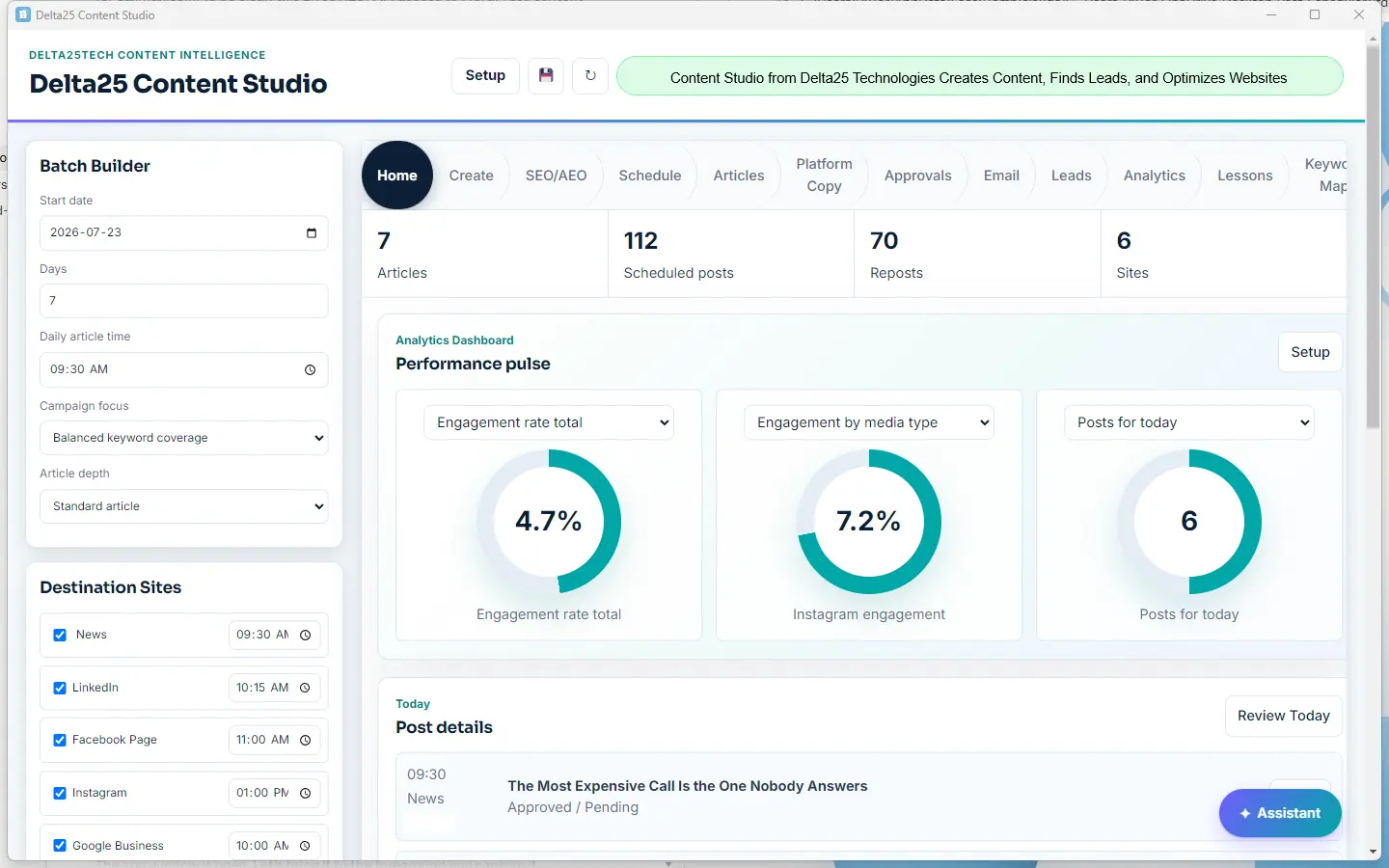
One batch plan drives six connected channels — each with its own posting time. The dashboard shows scheduled posts, reposts, and live engagement in one place.
Example: The cleanup post hits LinkedIn at 10:15am and Google Business at 10:00am — staggered automatically so the same story doesn’t post everywhere at once.
04 · APPROVAL QUEUE
Nothing goes live until you tap approve
Every draft lands in a queue with its full text, target channels, and scheduled time. Approve, edit, or discard — from your desk or your phone. There’s no auto-post to forget.
Example: The owner opens the queue over coffee, tweaks one headline, approves three posts, skips the fourth — under two minutes.
⚑ SCREENSHOT NEEDED · Approval Queue
05 · LEAD DISCOVERY
Prospects that match your customer profile
Delta25 finds businesses matching the profile you describe, sourced from public business data. You get a working list — name, channel, and why it matched.
Example: A B2B SaaS founder asks for “Ontario dental clinics with an outdated website” and gets a reviewable shortlist.
06 · OUTREACH DRAFTING
Cold emails in your voice — compliantly
It drafts outreach emails in your voice, with consent tracking, unsubscribe handling, and CASL/GDPR controls built in. You review every message before it sends.
Example: From the dental-clinic list, Delta25 drafts a short, specific intro email per prospect — each with an unsubscribe link already attached.
⚑ SCREENSHOT NEEDED · Outreach Drafting
Six tools' worth of work, one loop.
We’re taking 25 beta testers — small enough that we’ll actually talk to you.
ChatGPT writes; a scheduler posts. Neither reads your live site inventory, scores it, or feeds published results back into the next batch. Delta25 is the loop connecting all three — one login, one approval queue.